




|
 |
|
|

|
|
|
|

|
|
|
|
Mapping Recent Earthquake DataThis is the second installment of Richard Marsden's two-part article on mapping earthquake data. In this part, Richard shows how to massage USGS data in Excel for importing into MapPoint and depict earthquakes as point data.
Compared to the first part of the article, depicting the recent earthquake data is much easier to plot and only requires Excel to massage the data into a usable form for the MapPoint Data Import Wizard. The recent earthquake data for California can be obtained from the USGS at: http://quake.usgs.gov/recenteqs/Quakes/quakes0.htm. Select the earthquake table with the mouse, and copy it to the clipboard. Paste it into Notepad and save as a text file. Notepad will look something like this: 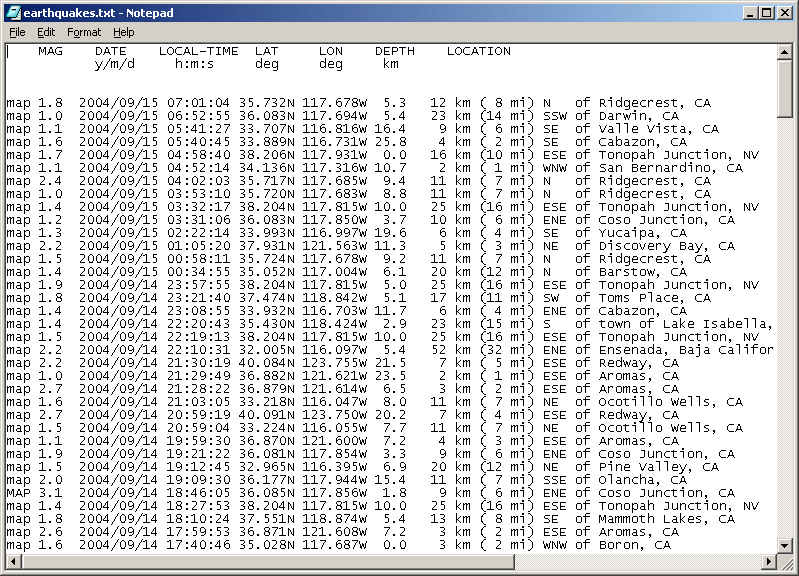
(For this and all images below, click on the image to view the full screenshot.) The MAG column gives the Magnitude. This is broadly similar to the ‘Richter Scale’ of common usage. Note that probable quarry blasts are also marked with a ‘Q’ in the MAG column. We will deal with this later. Also note that the coordinates are given with ‘N’ and ‘W’ letters rather than the plus and minus values used by MapPoint. The data consists of fixed width columns, so it can be read into Excel. Open it in Excel, and selected “Fixed Width” and set “Start Import at Row” to 1. Excel does a reasonable job of finding the columns, but you will have to make some changes. First, the ‘N’ and ‘W’ characters must be split from the Longitude and Latitude values. Do this by inserting two break lines. Also check that the column line after MAG is immediately after the number, so that the ‘Q’ characters for the quarry blasts are not included in the MAG column. You may also wish to remove the extra column lines in the LOCATION data for clarity (we do not use this data any further). The result should look like this: 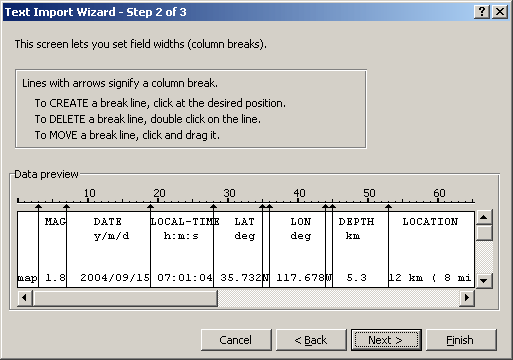
Click Next, and then Finish. The result in Excel should look like this: 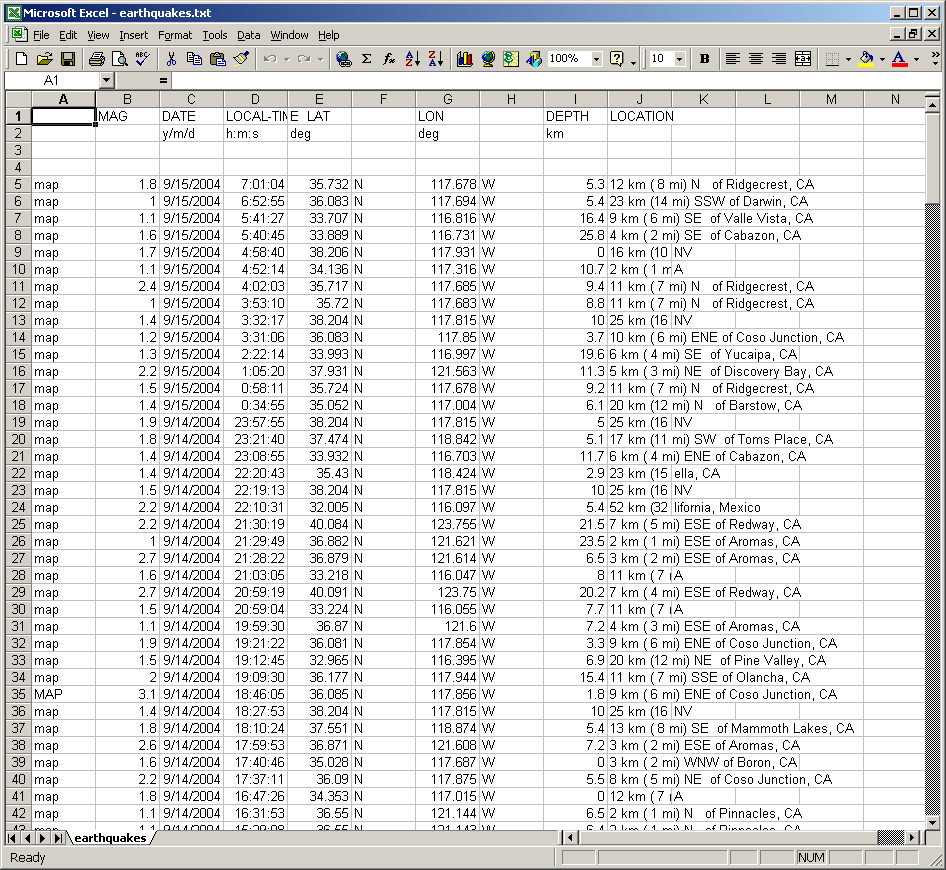
Note that the ‘Q’ for quarry blasts (not shown on the above image) are now in the DATE column. You can delete the lines containing quarry blasts, if you wish. Check that the MAG column only contains numeric data. All latitudes are in the northern hemisphere, so the positive values are correct for MapPoint. However, the longitude values should be negative to represent the western hemisphere. Correct this by inserting a new column (H) just after the LON column. Set H5 to equal the negative value of the corresponding LON value ( “=-G5” in this case) : 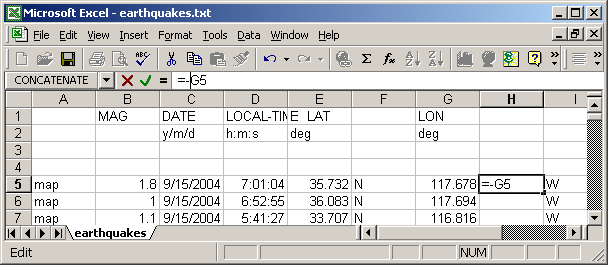
Then copy this cell to fill the entire column: 
Save the result to an Excel (.xls) file. Open MapPoint with the earthquake hazard data from the first part of this article. Select the Data Import Wizard, and select the Excel file that you have just created. When selecting the columns, most of the columns can be skipped. Make sure that the MAG column is “Other Data”. MapPoint should automatically select the LAT column as “Latitude”. Set the new (negative) longitude column to be “Longitude”. The DEPTH column also has useful information, so you may wish to select this as “Other Data”. Check the “First row contains column headings” check box. Press Finish to import the data. After the data has been imported, select “Sized Circle” for the chart type. Then select the MAG column for plotting, and select “Plot by Latitude & Longitude”. When providing the formatting information, the Continuous Range option provides the most pleasing plot. Change the Legend Title as required, and select a suitable color. I found pale purple stood out from the hazard data. The order should be “High to Low” so that the larger earthquakes are plotted with larger circles. The final result should look like this: 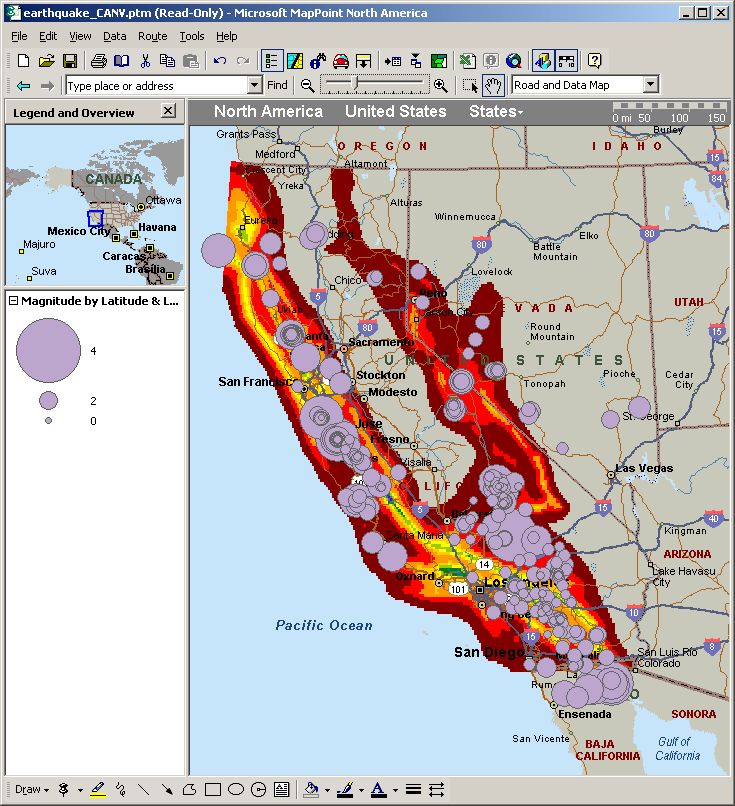
(Click on the image to view the full map.) With a number of significant active faults running through California, a week’s worth of earthquake data contains a lot of small earthquakes which tend to make the plot appear crowded. Zooming in on the San Francisco Bay Area, shows that a number of the earthquakes in the south lie on the San Andreas fault, with a notable cluster around Hollister. The San Andreas, Hayward, and Calaveras Faults come together in the Hollister area. The result of fault creep characterized by many small earthquakes, can be seen as offset sidewalks and roads in the outskirts of Hollister. 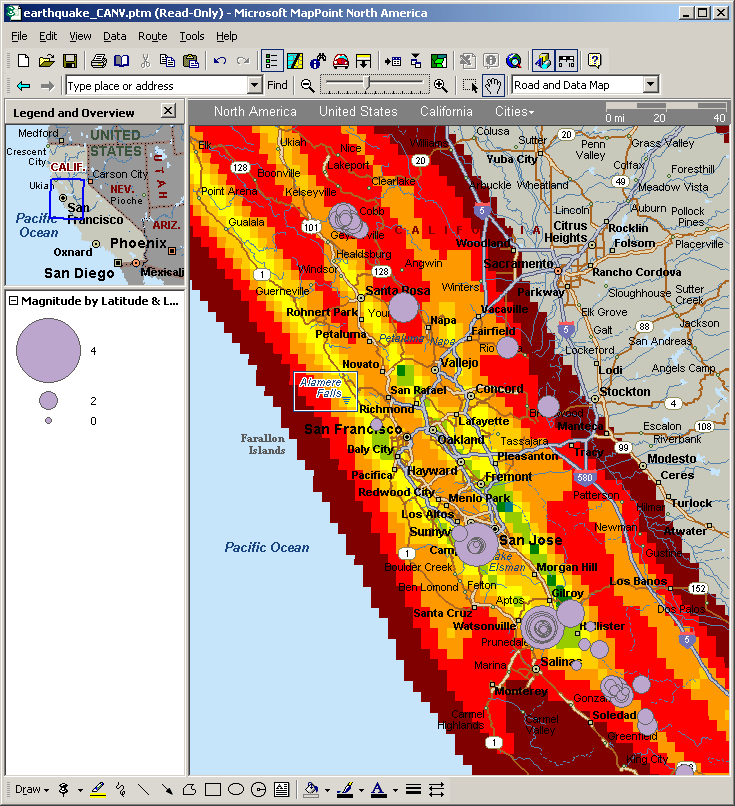
There is also cluster north of Santa Rosa. This cluster is related to the Geysers hydrothermal field. It is also the site of one of the world’s largest geothermal power stations. This station injects fluids into the field to enhance energy recovery. In the past ten years, injection rates (and locations) have been correlated to micro-earthquakes in the area. There’s also a cluster in the Mammoth Lakes area: 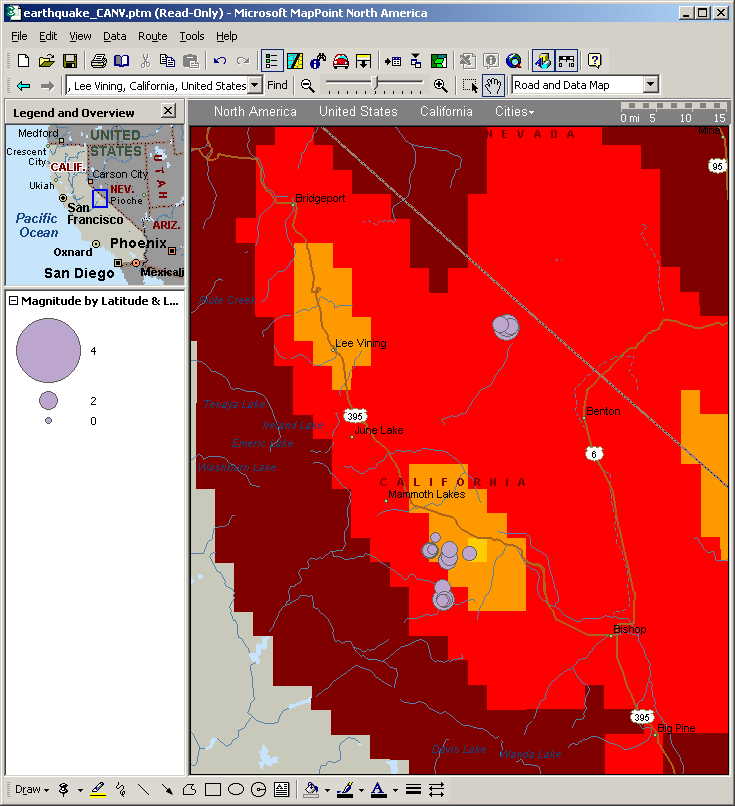
Mammoth Lakes is a part of a volcanic system, and micro-earthquakes are common. The system extends over an area including Mono Lake, and probably includes the small cluster near the Nevada border. Interestingly, Mono Lake (just north east of Lee Vining) had no earthquakes in the past week. And for those in the South California area: 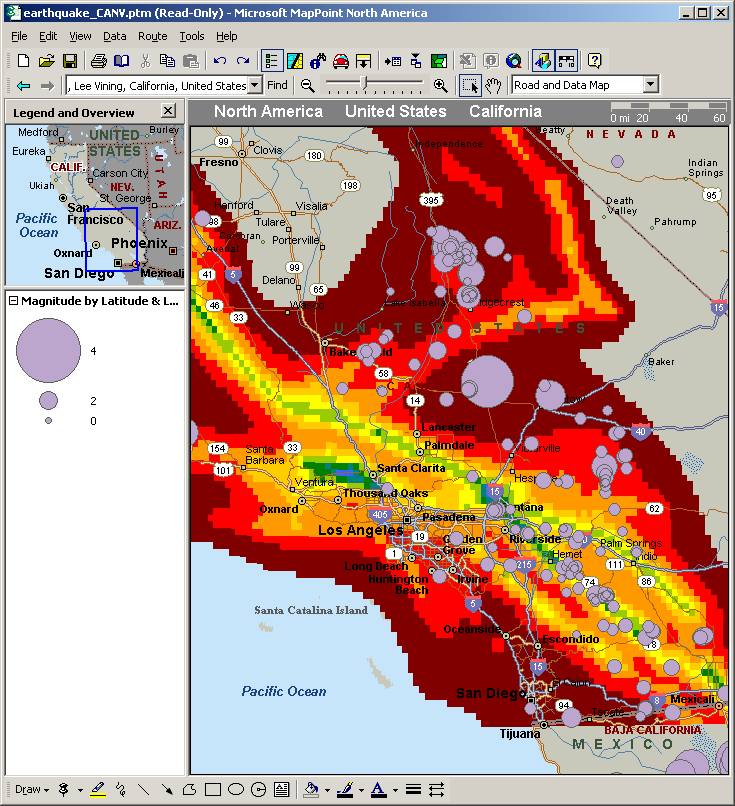
There is an interesting cluster to the north of Ridgecrest, and research has shown this to be an area of crustal strain. ConclusionsAlthough MapPoint is aimed at the small business user, it can be used to plot physical data. Earthquake sizes are plotted here, but with a bit of ingenuity polygons or pre-defined pushpins could be used to plot focal mechanisms (earthquake fault orientations). MapPoint could also be used to plot other gridded data, for example Doppler radar, air pollution, or altitude.
 Author: Richard Marsden Author: Richard MarsdenEmail: enquiries(AT)winwaed.com URL: http://www.winwaed.com Richard Marsden is the proprietor of Winwaed Software Technology, LLC which provides software consulting and development services, specializing in both MapPoint and online mapping applications. He operates the Mapping-Tools.com Website for MapPoint Tools and Utilities, and recently launched the GeoWeb Guru a community website for developers of the geospatial web. In 2008, Richard was awarded Virtual Earth MVP status by Microsoft. Prior to Winwaed, Richard worked as a software developer working on seismic processing algorithms for the oil exploration industry. He holds geology and geophysics degrees from the University of Cambridge (Churchill College), and the University of Durham; and an interdisciplinary MBA from the University of Dallas.
|
|
|
|
|
||||||||||||||||||||||||||||||||||||||||||||||||||||||||||||
|
||||||||||||||||||||||||||||||||||||||||||||||||||||||||||||||||||||



