




|
 |
|
|

|
|
|
|

|
|
|
|
Using Python to Control MapPoint, Part 1First of two articles by Richard Marsden on scripting MapPoint using Python. This article demonstrates how to get started with PythonWin and MapPoint.
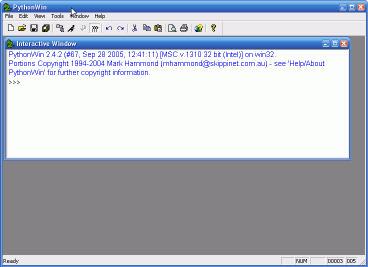
These examples use Python 2.4. This can be downloaded from http://www.python.org. I have installed it into the installer’s suggested directory of c:\Python24. If you use a different directory, you will need to modify the following instructions accordingly. To access COM, I used the Python Windows Extensions (“PythonWin”). These extensions also include a simple IDE (Interactive Development Environment), and some Windows GUI extensions. The PythonWin installer can be downloaded from http://www.python.org/windows/pythonwin. Ensure that you download the version that matches your version of Python. Install PythonWin after Python. In order to access MapPoint’s objects and methods, you need to convert MapPoint’s COM Type Information into a form that Python can read. This is performed using the PythonWin make-py Python script. From the command line, this is performed as follows:
C:\> cd “\Program Files\Microsoft MapPoint 2004”
C:\> \Python24\Lib\site-packages\win32com\client\make-py.py mpna82.tlb > \Python24\mpna82.py
This example is for MapPoint 2004 North America. You will need to change the name of the directory and MapPoint’s tlb file if you are working with a different version. The Type Information will now be contained in mpna82.py in the main Python directory. Start Python. Type the following code in at the command prompt, or enter it into a text file and run it as a program:
# Import the PythonWin win32com components that we require
from win32com.client import constants, Dispatch

# Useful shorthand: Change the object name for Europe,
# MapPoint 2002,etc.
MAPPOINT = ‘MapPoint.Application.NA.11’

# Create the MapPoint Application object
myApp = Dispatch(MAPPOINT)

# We can easily call MapPoint methods like this:
myApp.NewMap

# Setting and getting MapPoint properties is just as simple:
myApp.Visible = 1
myMap = myApp.ActiveMap

# Let’s do something interesting…
# Create a Location object, and then use it to create a new pushpin
myLoc = myMap.GetLocation(32.0, -96.0)
myMap.AddPushpin( myLoc, “A pin near Corsicana, Texas”)
In Part 2, I shall use Python to process some summary US Census statistics, and use MapPoint to plot cities that match certain characteristics. Further Reading “Learning Python”, Mark Lutz & David Ascher, Publ. O’Reilly.
 Author: Richard Marsden Author: Richard MarsdenEmail: enquiries(AT)winwaed.com URL: http://www.winwaed.com Richard Marsden is the proprietor of Winwaed Software Technology, LLC which provides software consulting and development services, specializing in both MapPoint and online mapping applications. He operates the Mapping-Tools.com Website for MapPoint Tools and Utilities, and recently launched the GeoWeb Guru a community website for developers of the geospatial web. In 2008, Richard was awarded Virtual Earth MVP status by Microsoft. Prior to Winwaed, Richard worked as a software developer working on seismic processing algorithms for the oil exploration industry. He holds geology and geophysics degrees from the University of Cambridge (Churchill College), and the University of Durham; and an interdisciplinary MBA from the University of Dallas.
|
|
|
|
|
||||||||||||||||||||||||||||||||||||||||||||||||||||||||||||
|
||||||||||||||||||||||||||||||||||||||||||||||||||||||||||||||||||||



 Python is an easy to use but powerful scripting language. Python is ideal for processing
data and text. This sounds a bit like Perl, but unlike Perl, I find Python much easier
to read and maintain. A wide range of available extensions make Python an ideal tool for
scripting MapPoint. Part 1 of this series shows you the basics of controlling MapPoint with
Python. Part 2 will use some basic Python text processing to read a file of summary US Census
data and plot the filtered results in MapPoint.
Python is an easy to use but powerful scripting language. Python is ideal for processing
data and text. This sounds a bit like Perl, but unlike Perl, I find Python much easier
to read and maintain. A wide range of available extensions make Python an ideal tool for
scripting MapPoint. Part 1 of this series shows you the basics of controlling MapPoint with
Python. Part 2 will use some basic Python text processing to read a file of summary US Census
data and plot the filtered results in MapPoint.