




|
 |
|
|

|
|
|
|

|
|
|
|
10 Second Tutorial: Screenshots!In the second installment of the 10 Second Tutorial we share a favorite and very effective use MapPoint, making small screenshot maps. As with the first tutorial, this ends with a challenge to win free software.
HyperSnap Let's take a step back from the first tutorial and concentrate on an even simpler and efficient way to share maps generated from MapPoint. What makes this so effective is use of a screenshot program called HyperSnap-DX from Hyperionics. Here’s what it looks like:
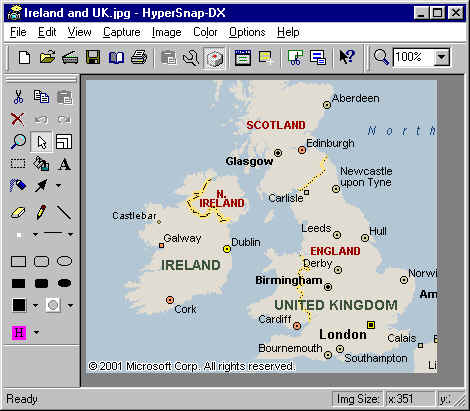 Note the many drawing tools on the left including arrow, highlight, fill, etc. Even if you’ve already marked up your map using the drawing tools in MapPoint, the additional flexibility of having these tools after screenshot is made is very valuable. There is an option File | Send by e-mail which works very well (note there is a confirmed bug with MapPoint 2002 and Outlook that makes using MapPoint own File | Send To | Mail Recipient iffy). Anyway, I have never had a problem with HyperSnap under many configurations. Note that you must keep a file like this handy. You can open it in another instance of HyperSnap, place it in the clipboard using Edit | Copy, and then paste it into your screenshot and position it before you finish editing the screenshot image. This is an important step, as otherwise you run the risk of breaking the MapPoint EULA requiring that the Microsoft copyright be placed on every map created with MapPoint. Here’s a recent image I sent to my sister after she spent the day visiting me in Chicago. I had been pointing out the beach names and street numbering system and wanted to summarize things.
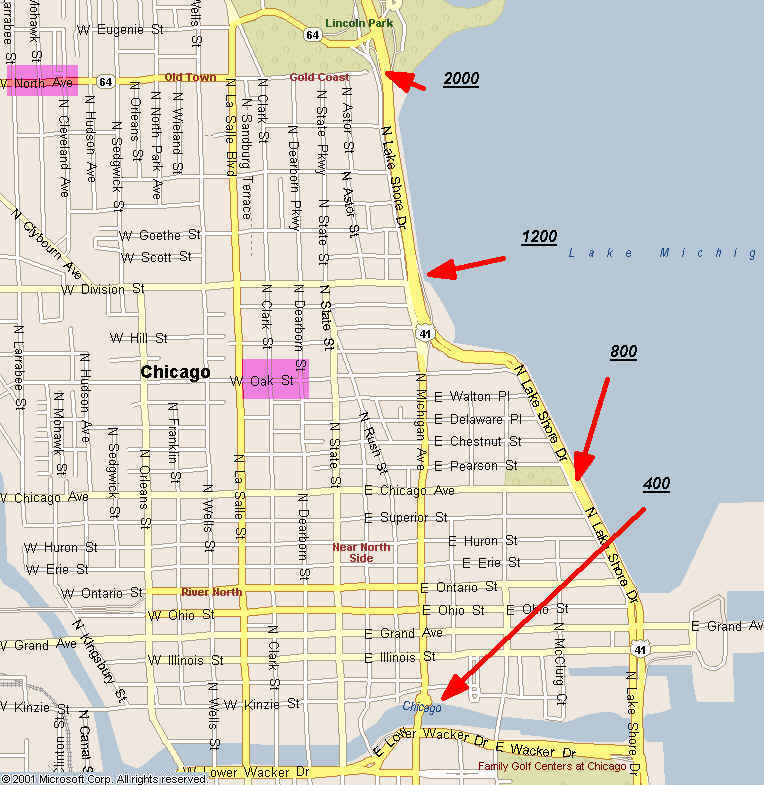 Coupled with the many new options for map types including sized pies and column charts, simple screenshots can be a very effective business visualization tool and also work well in powerpoint presentations.
 Contest Download a trial copy of HyperSnap or use your favorite screen capture method and submit them to the MP2K gallery by e-mailing them to website@mp2kmag.com. Also send in a brief description (up to 200 words) describing the image and your contact or business information. On January 15th one submission will be chosen at random and another by MP2K staff to receive free FULL licenses of HyperSnap DX-4.
Author: Eric Frost Email: website(AT)mp2kmag.com URL: http://www.mp2kmag.com Eric is Editor and Publisher of MP2K Magazine and is a part-time student in University of Chicago's evening MBA program. Eric recently finished the MP2Kmag Guide What's New in MapPoint 2004.
|
|
|
|
|
||||||||||||||||||||||||||||||||||||||||||||||||||||||||||||
|
||||||||||||||||||||||||||||||||||||||||||||||||||||||||||||||||||||



