




|
 |
|
|

|
|
|
|

|
|
|
|
Creating a Grid Over Iraq In MapPointMP2Kmag shares some grid creation code centered over Iraq based on a suggestion and coordinates from Mike Mueller, a Wisconsin fire-fighter and MapPoint programmer
Creating a Grid Over Iraq In MapPoint MP2Kmag shares some grid creation code centered over Iraq based on a suggestion and coordinates from Mike Mueller, a Wisconsin fire-fighter and MapPoint developer Mike Mueller developed this spreadsheet and as a MP2K Magazine reader, suggested that others might be interested in seeing a map and grid developed to show events and the extent of the Iraq War in MapPoint. Anyway, translating the coordinates into a script was fairly straightforward, so I'll mostly let the code speak for itself but will also share a couple early "mis-fires". If you're familiar with Visual Basic, this subroutine can simply be called from say a form_load or button click event, or anywhere it's appropriate in your application. Here is the code.
As you can see, the subroutine declares variables, sets initial values to them and loops and performs MapPoint methods. A couple notes: when I first ran this, I set the line weight to 1, assuming that would be the smallest line size, but for whatever reason that came out to the second line weight in the interface. I changed this to 0.1 and re-ran - and now it is the smallest line weight. I don't have an explanation, just thought I would point this out. Also, note the geoSendBehindRoads, this is necessary for the grid not to overlay the entire area and let the underlying cartographic data show on top. I am the type of developer who likes to write some lines and then run it and let the results dictate the necessary logic for completion of the task, so the first passes I will share are not surprising.. In this first map, I had reversed the x and y coordinates (needed to read the documentation more carefully), and hadn't yet included a fifth location object (objLoc) necessary to complete the drawing of a square. 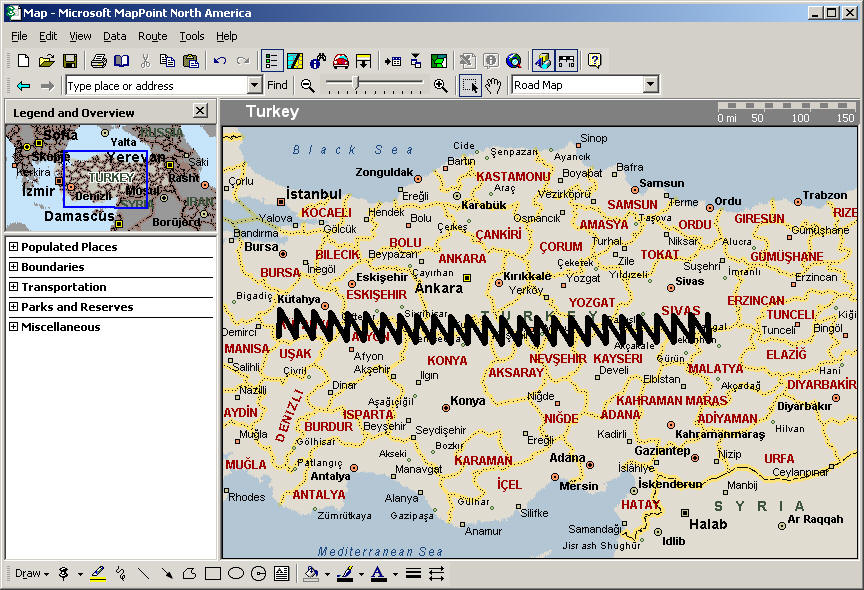 (click on the image to view the entire map) One reader's comment -- "That is not a failure- it is the truth. Turkey's government is divided in how/ if they will allow us to use air space etc. and you show it as divided. The drawn image to me signifies a rip saw, and their loyalties are being ripped apart." In this second map, I was almost there, but forgot to reset the y coordinate in the outer loop. 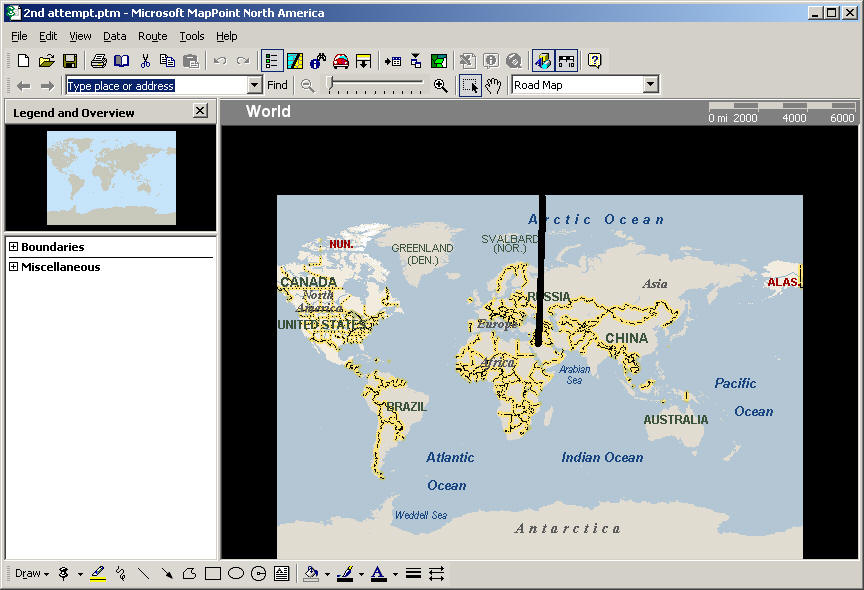 (click on the image to view the entire map) Here is the final map. 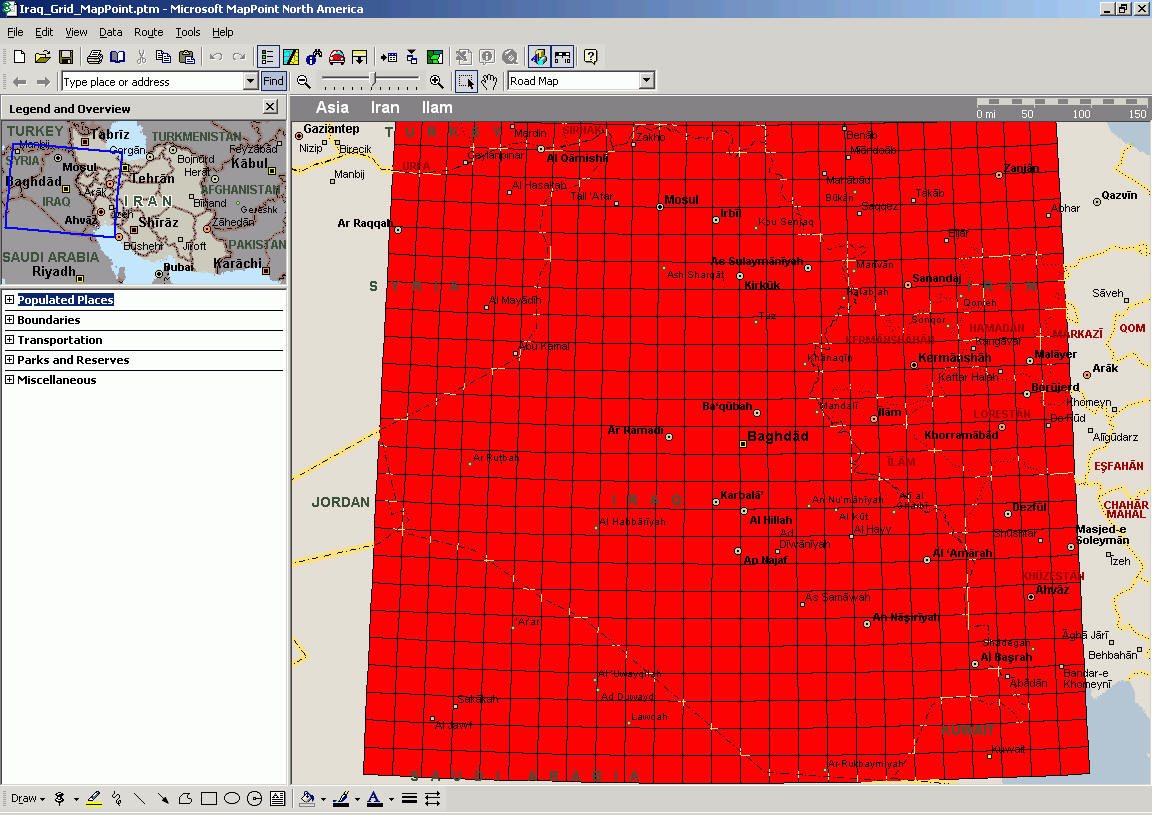 (click on the image to view the entire map) In our special area providing on-going coverage of the iraq war map, Mike Mueller has made some additional improvements to the code and there is an executable which you can downloaded and run if you are not a Visual Basic developer. By the way, we would be interested in seeing ports of the grid creation code to other development platforms. If you want to tackle this in say Delphi, Foxpro, C#, or any other language, please share in the discussion forum. Sergey Berezniker submitted this code which is a translation to VFP - VFP Code Post.
Author: Eric Frost Email: website(AT)mp2kmag.com URL: http://www.mp2kmag.com Eric is Editor and Publisher of MP2K Magazine and is a part-time student in University of Chicago's evening MBA program. Eric recently finished the MP2Kmag Guide What's New in MapPoint 2004.
|
|
|
|
|
||||||||||||||||||||||||||||||||||||||||||||||||||||||||||||
|
||||||||||||||||||||||||||||||||||||||||||||||||||||||||||||||||||||



