 |
|
|
|
MapPoint Location Server
"Q. What is MapPoint Location Server? What’s the difference between MapPoint Location Server and MapPoint Web Service?
A. The following points outline the differences:
- MapPoint Location Server is a component of MapPoint Web Service that allows the integration of real-time location data into business and consumer applications. MapPoint Location Server provides access to location providers such as mobile network operators and acts as a proxy between an application and MapPoint Web Service. For commercial purposes, MapPoint Location Server can only be used with a valid agreement for MapPoint Web Service.
- MapPoint Web Service is a programmable XML-based Web service that customers can use to integrate mapping capabilities and location-based services into business or consumer applications. MapPoint Web Service supports industry-standard SOAP and XML interfaces, which developers can use to build location-based services into their applications easily. Solutions that integrate MapPoint Web Service can be developed with Microsoft Visual Studio® .NET, which provides a powerful, optimized environment for developers.
- MapPoint technology is the core technology behind Microsoft’s mapping and location services platforms and applications. It is the basis for MapPoint powerful business and consumer desktop applications and the application developer XML Web Service platform."
The full FAQ appears here.
 Forum:
Read/Post Msgs
Forum:
Read/Post Msgs
advertisement
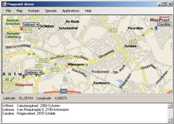 MapPoint C# Sample Code and Examples
MPDemo is a program written by Wilfried Mestdagh that shows you how to use the most important API features using C#.
Using this application you can check out what you want to do and step with the debugger through it to see the code.
The code is written using separate classes in separate files as much as possible. Events are used at the places where a GUI update is needed.
You will get lifetime free upgrades of the source, even if the price will raise in future. Note that you must have Microsoft .NET version 2 installed to run the executable.
|
|
|
|
|
|
|
Recent Discussion
|
|
|
|
|
|
|
|
|
|
Resources
|
|
|
|
|
|
|









